
 CZ
CZ SK
SK HU
HU AT
AT DE
DE ES
ES SI
SI HR
HR
Nothing in the basket.

- Search
-
Login

-
0
Comparison
Add products to compare, then they will appear here and you can compare parameters.
-
0
0 €
News
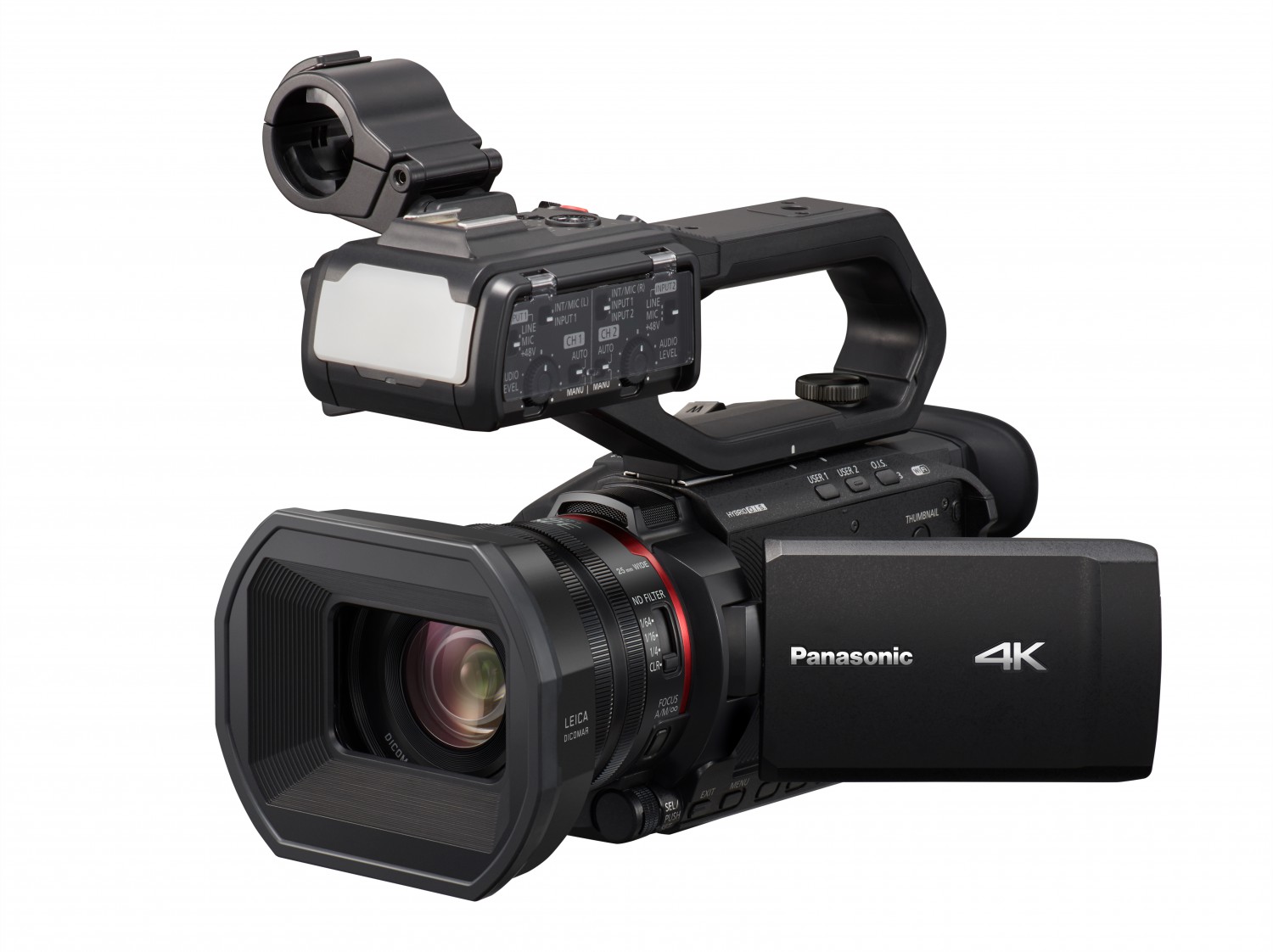
Panasonic announced firmware update programs for the HC-X2, HC-X20, HC-X2000, and HC-X1500 camcorders, to be available for download May 9, 2023. The updates will support background recording and super slow-motion recording in the MP4 file format, which until now has been limited to MOV. In addition, the updates will enable use of the face detection/tracking AE&AF function when shooting in manual mode For every model, the user will also be able to assign a button to an additional seven functions. The HC-X2000 and HC-X1500 will have linear/non-linear focus-ring settings, a popular feature of the X2/X20 Series. The models will also gain two additional Frame Marker aspect ratio settings and the one-push auto iris function. In addition, the updates will enable simultaneous SDI/HDMI output on the HC-X2000 to accommodate shooting situations that require simultaneous connection to several pieces of equipment, such as monitors and switchers. The updates will also add the one-push auto iris function and a preset mode for gain setting to the HC-X2 and HC-X20 to enable quick adjustment to changes in brightness and other elements of the shooting environment. In addition, the user will be able to reset the AE level effect setting to 0EV when the power is off, and HC-X2 dual codec recording file formats will include MP4 and interlaced video.
HC-X2 and HC-X20 FW 1.1
- Face detection/tracking AE&AF function in manual mode. The face detection/tracking AE&AF function is now available in manual mode. This function is useful when shooting moving subjects and when conditions in the shooting environment change.
- MP4 compatible functions added. Recording in the MP4 file format has been added for background recording, dual codec recording (HC-X2 only), interval recording, VFR (variable frame rate) recording, and super slow-motion recording, all of which were previously limited to the MOV file format.
- Seven new functions can now be assigned to user buttons. Users can now assign a button to these functions: [LOW GAIN], [MID GAIN], [HIGH GAIN], [W.BAL Ach], [W.BAL Bch], [W.BAL PRESET], [PUSH A.IRIS]
- One-push auto iris function added. Even when in manual iris mode, while the [PUSH A.IRIS] user button is pressed, auto iris operates to ensure smooth shooting even when brightness conditions suddenly change.
- Preset mode added to gain setting. In preset mode, the user can cycle between [LOW GAIN], [MID GAIN], and [HIGH GAIN] with each press of the [GAIN] button. In addition, when using [USER] buttons, the user can switch between [LOW GAIN], [MID GAIN], and [HIGH GAIN] with one press of the button. This enables much quicker operation compared to the multi-dial operation of normal mode.
- AE level reset. Previously, the AE level remained at the value set at the previous shoot, but now the user can choose to reset to zero EV when turning off the power or when switching between record and playback.
- MP4 file format added (HC-X2 only): MP4 [4:2:0 8bit] FHD 1920x1080 59.94i/50.00i 420 LongGOP 50M: Average 50Mbps (VBR)
- File formats compatible with dual codec recording added (HC-X2 only). In response to feedback from users in the television and other broadcasting fields, HC-X2 will have more file format choices compatible with dual codec recording, including MP4 and interlaced video: FHD 8Mbps [Main recording] MOV 1080-59.94i, 50.00i / 422LongGOP 50M, MP4: 2160-29.97p, 25.00p, 23.98p / 420LongGOP 72M, MP4: 1080-59.94p, 50.00p, 59.94i, 50.00i, 23.98p / 420LongGOP 50M
[Sub recording], MP4: FHD-59.94p, 50.00p, 59.94i, 50.00i, 29.97p, 25.00p, 23.98p / 420LongGOP 8M
HC-X2000 and HC-X1500 Firmware Version 1.4
- Face detection/tracking AE&AF function in manual mode. The face detection/tracking AE&AF function is now available in manual mode. This function is useful when shooting moving subjects and when conditions in the shooting environment change.
- MP4 compatible functions added. Recording in the MP4 file format has been added for background recording, interval recording and super slow-motion recording, all of which were previously limited to the MOV file format.
- Seven new functions can now be assigned to user buttons. The user can now assign a button to these functions: [ONE PUSH A.IRIS], [O.I.S. MODE], [REC SW], [AUDIO CH1 LEVEL], [AUDIO CH2 LEVEL], [LCD/VF OUTPUT], [AUDIO OUT]
- One-push auto iris function added. Even when in manual iris mode, while the [ONE PUSH A.IRIS] user button is pressed, auto iris operates to ensure smooth shooting even when brightness conditions suddenly change.
- Focus ring drive switchable between the linear and non-linear setting. When focus ring drive is in manual focus mode, the user can switch between [LINEAR], which changes focus value according to rotational angle, and [NON-LINEAR], which changes focus value according to rotational speed. This enables the user to choose the setting that is best for the scene: [LINEAR] when, for example, fine adjustments are needed to shoot static objects such as products, and [NON-LINEAR] when shooting a moving subject requires quick adjustments.
- Two settings, 16:9 and 17:9, added to Frame Marker aspect ratio settings.
- Simultaneous SDI/HDMI output (HC-X2000 only). This version update enables the user to work with a variety of video output types simultaneously, such as outputting UHD to a 4K monitor/recorder using an HDMI cable and outputting FHD to a live video switcher from an SDI connection.
Date: 02. 05. 2023,
Category: News
FULL ARTICLE
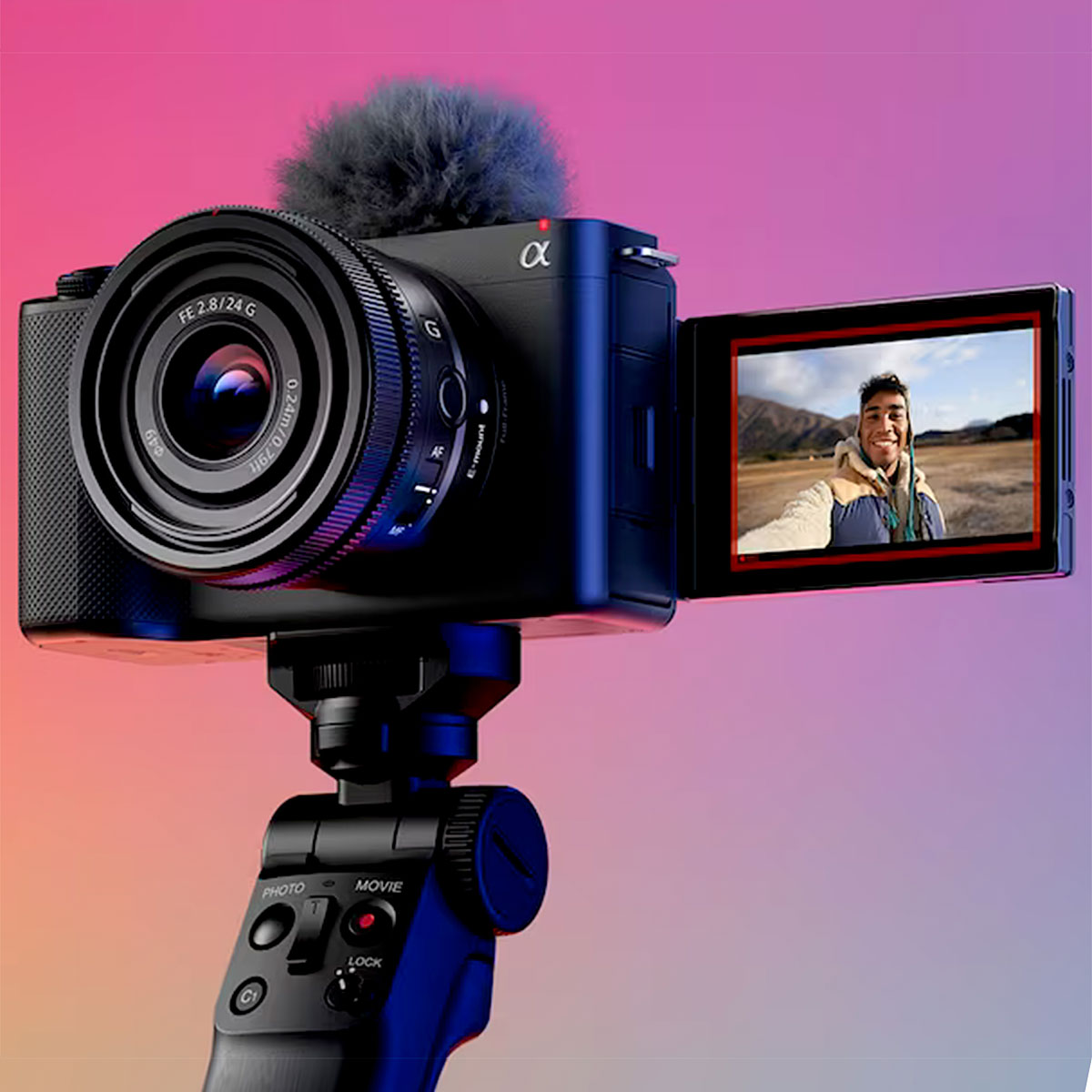
First batch of Sony ZV-E1 on the way! We are accepting orders!
Date: 28. 04. 2023,
Category: News
FULL ARTICLE
New update for EDIUS X, version 10.34.10898, includes minor improvements and fixes incl. resolved crashes when certain MP4 files were loaded, blinking with Mask filter being applied, and solved issues with Exporter presets (.expd; presets created with version 10.34.10898 can’t be imperted by previous builds). You can find more details in the release notes, new version can be downloaded here.
Date: 28. 04. 2023,
Category: News
FULL ARTICLE
New top model in Panasonic PTZ camera range - AW-UE160 - on sale!

Date: 28. 04. 2023,
Category: News
FULL ARTICLE
Blackmagic Design announced DaVinci Resolve 18.5, a major new update which adds new AI tools, over 150 feature upgrades such as Resolve FX relight, speech to text editing, automatic subtitling, AI audio classification, Universal Scene Description file support and new menus on the Cut page that let customers work faster while allowing more time for being creative. DaVinci Resolve 18.5 public beta is available for download now.
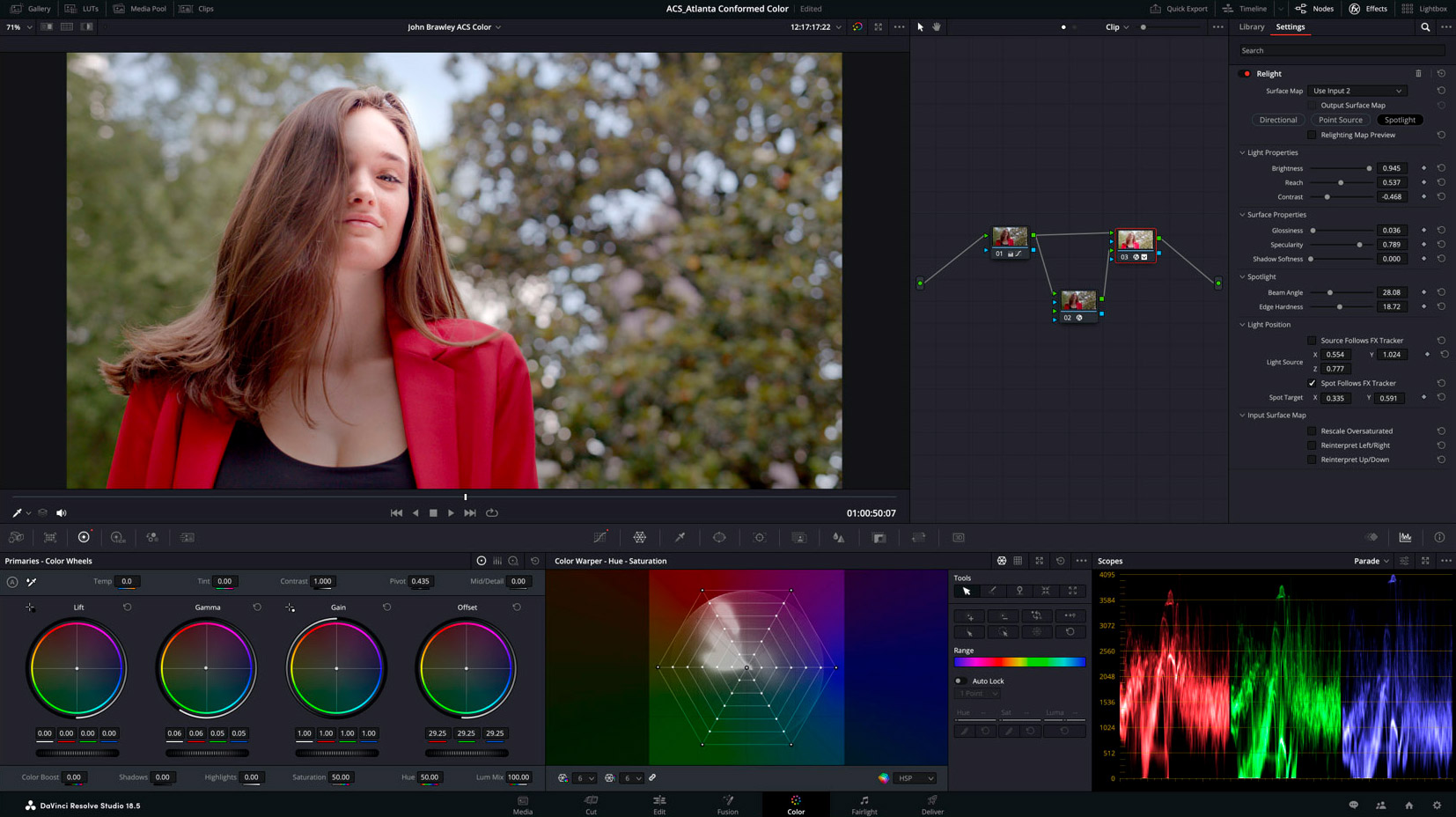
DaVinci Resolve 18.5 introduces dozens of new tools including 4 new AI tools, over 150 feature upgrades, and major updates to the Cut page. Editors can now transcribe audio within clips to search for media based on narrative content, or quickly generate subtitles for timelines with the automatic speech to text feature. DaVinci Neural Engine AI can analyze and automatically sort audio clips based on classification, and on the Fairlight page audio tracks can now be grouped for faster mix automation and editing. Colorists can use the new Relight FX to add virtual lighting to a scene. VFX artists can collaborate more easily with support for USD files and work faster with the multi-merge tool.
Customers can now initiate remote monitoring using just a Blackmagic ID and a session code. Just enable remote monitoring in DaVinci Resolve and share their code, without having to deal with IP addresses and port forwarding. Customers can stream to multiple computers, iPads or even iPhones all at the same time. Customers can also now export their timeline to the Blackmagic Cloud using the new Presentations feature which is in public beta for customers with project libraries. With Presentations, multiple people can review their timeline, leave comments and even share a live chat. Comments will appear as markers on their DaVinci Resolve timeline, allowing customers to act on feedback quickly.
On the color page, DaVinci Resolve color management can now be configured on a timeline level. Any existing custom timelines are automatically initialized to color management settings from the project. This allows the setting of independent timeline and output color spaces per timeline for projects with mixed media. The new Relight FX lets customers add virtual light sources into a scene to creatively adjust environmental lighting, fill dark shadows or change the mood. Light sources can be directional to cast a broad light, a point source, or a spotlight and be adjusted for surface softness and specularity control. The Color page viewer now supports marker overlays and annotations for timeline and clip markers.
The addition of three new menus to the Cut page timeline allows for quicker and more flexible editing. Use the timeline options, timeline actions and edit actions to toggle ripple editing, trim edit points to the playhead, resync audio, and change the appearance of the timeline and more. Scene cut detection is also now possible directly on the Cut timeline. Simply navigate to the timeline menu and click ‘detect scene cuts’. Selected clips will be analyzed for content and cut points automatically placed on every new edit in the rendered clip. Customers can modify or remove trim points as needed.
The Cut page has a new ripple button which enables and disables rippled edits. Previously edits were always rippled, now by disabling the ripple button the duration of the edit will be preserved so customers can create gaps in the timeline. Customers can hold the option key to disable ripple for that edit only. Split A/V allows the edit point for video or audio to be adjusted separately. Simply drag the lower part of a clip to separately adjust the audio track, allowing the dialogue to be heard before or continue after the video clip is seen. Editors can now creatively focus visual attention on the scene using audio to add interest, drama and even tension to dialogue scenes on the Cut page.
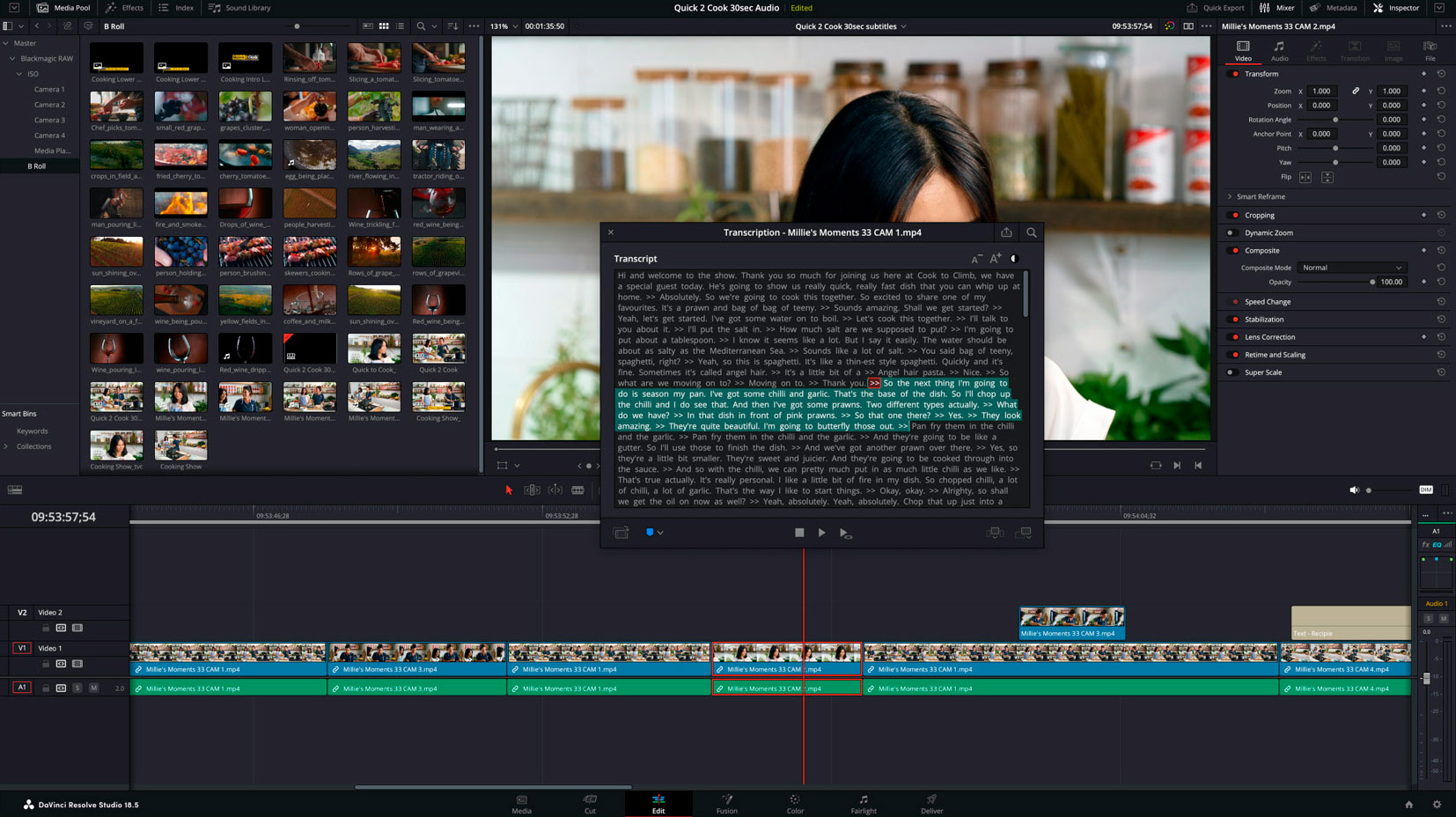
The auto subtitle feature on the Cut and Edit pages transcribes speech to text automatically into a subtitle track on the timeline. To activate, simply click ‘create subtitles from audio’ in the timeline menu. Once analyzed, click the individual captions to modify them in the inspector.
Speech to text editing has also been added in the ‘transcribe’ feature which automatically transcribes video and audio clips. Customers can search for specific terms or jump to the section of a clip where a word appears. Instead of listening to entire scenes or interviews, customers can quickly locate the topic they need and add it to their timeline saving countless hours.
Content creators can now upload videos directly to TikTok by simply signing in to their TikTok account in preferences, and using either the render preset in the Deliver page or the quick export dialog. A new option for vertical aspect ratio output makes creating content for social media even easier.
Support for the OpenTimelineIO (OTIO) format makes importing and exporting timelines from other NLE applications faster and easier. OTIO supports metadata for clips, timing, tracks, transitions and markers, as well as information about the order and length of cuts and references to external media. Plus customers can also now quickly backup and restore their work by enabling per timeline backups in preferences. Modified timelines will be backed up locally for both collaborative and non collaborative projects on local, network and Blackmagic Cloud project libraries for greater security on multi user projects.
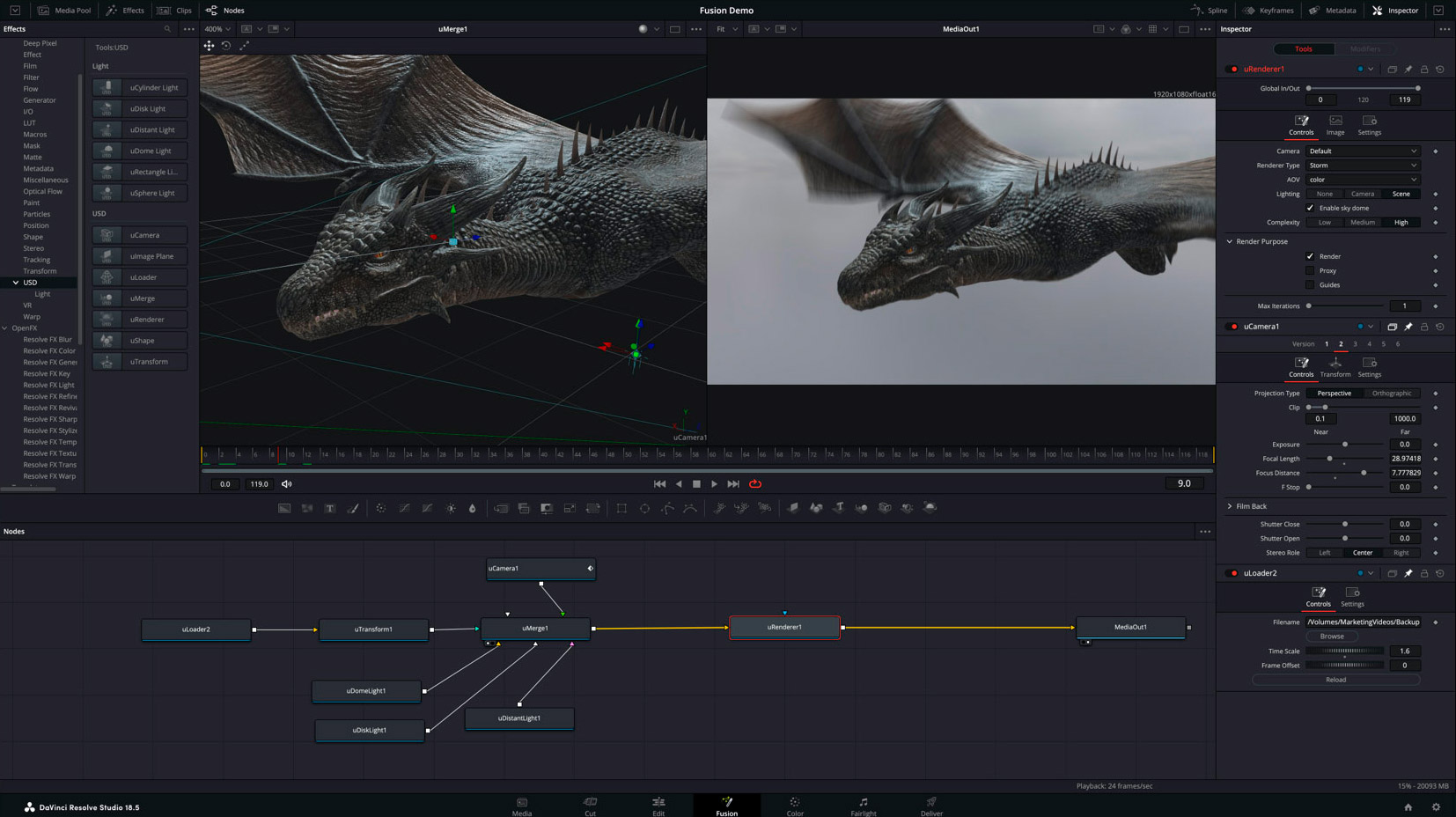
Fusion now supports Universal Scene Descriptor files for easier collaboration between VFX artists. USD data such as geometry, lighting, cameras, materials and animation can be imported. Fusion’s new USD tools let customers manipulate, re-light and render files using Hydra-based renderers such as Storm. The new multi-merge tool lets customers merge numerous media sources into a single multi layer stack, so it’s easier to create composites by merging clips, stills or graphics using layers. Each layer has its own controls, so customers can still change individual properties like position, size and apply modes. The native AI based Depth Map tool is now also supported in Fusion Studio.
Audio engineers are now able to combine related audio tracks or mixer channels into groups, enabling shared mix automation or editing operations. When creating groups, customers can determine the parameters they will share. Groups can be nested, or temporarily suspended to quickly switch focus to smaller groups or individual tracks. The DaVinci Neural Engine can now classify audio clips based on their content, making editing choices faster when reviewing unfamiliar materials. After analysis, audio clips appear in bins cateorized for dialogue, music and effects with detailed sub categories such as explosions, water or insects.
When using elastic wave processing to retime audio clips, the new ‘voice’ option offers natural sounding, high quality results when changing the speed of dialogue or singing, even when using more extreme keyframing.
- Multiple Cut page improvements.
- Support for Blackmagic Cloud Presentations.
- DaVinci Neural Engine based subtitles from audio in Studio.
- DaVinci Neural Engine powered text based editing in Studio.
- New Resolve FX relight tool for adding virtual light sources
- Support for Universal Scene Description based workflows in Fusion.
- New Fusion multi-merge tool to composite and manage multiple layers.
- Multiple remote monitoring improvements.
- Support for fast per timeline backups.
- Per timeline Resolve Color Management.
- Support for edit and mix groups in Fairlight.
- Support for AI based audio classification in Studio.
Date: 27. 04. 2023,
Category: News
FULL ARTICLE