
 CZ
CZ SK
SK HU
HU AT
AT DE
DE ES
ES SI
SI HR
HR
Nothing in the basket.

- Search
-
Login

-
0
Comparison
Add products to compare, then they will appear here and you can compare parameters.
-
0
0 €
News
Metabones App 2.7 (E-Mount Version 56) adds support for the Canon CN-E 18-80mm T4.4 L IS KAS S lens to Metabones EF mount Speed Boosters and Smart Adapters.
Servo zoom can now be controlled using the wide-tele zoom rocker on supported cameras (for example JVC GY-LS300), with a touch screen interface (most Panasonic cameras), or from PlayMemories Mobile App for Sony cameras.
For supported Sony cameras, the Record button on the grip of the Cinema EOS CN-E 18-80mm T4.4 L IS KAS S lens can be assigned to one of more than 50 functions on the A7 series and other supported cameras. By assigning it to the MOVIE function, the user may start/stop recording and zoom with the lens' hand grip which is handy for a small-form-factor camera like A7R Mark II.
Whereas a typical EF mount lens changes the iris at 1/8 stop granularity, a Cinema EOS lens permits much finer control. Metabones takes advantage of this improved precision resulting in footages in which auto iris movements are virtually imperceptible.
Autofocus is supported, but to set expectations properly, AF performance of a supported Cinema EOS lens on a non-Canon camera is significantly below that of a genuine Cinema EOS camera equipped with dual pixel AF technology.
Never has any cinema lens received such comprehensive electronic integration across disparate lens mounts and brands like Blackmagic, JVC, Panasonic, Sony and of course, Canon Cinema EOS natively.
Important notice: not every Cinema EOS lens supports every feature. At the time of writing only Canon CN-E 18-80 T4.4 L IS KAS S supports auto iris, autofocus and servo zoom.
Also added to the new firmware release is support for the new Panasonic GH5 camera, with the usual set of features: user selectable optical image stabilization/5-axis in-body image stabilization (no dual I.S.), fast contrast detection autofocus (no DFD), smooth iris (requires lens support) and detailed EXIF.
Metabones App 2.7 (E-Mount Version 56) is available immediately from Metabones' web site. The same download upgrades every Metabones product with a micro USB port. See the accompanying release notes for compatibility and other important information.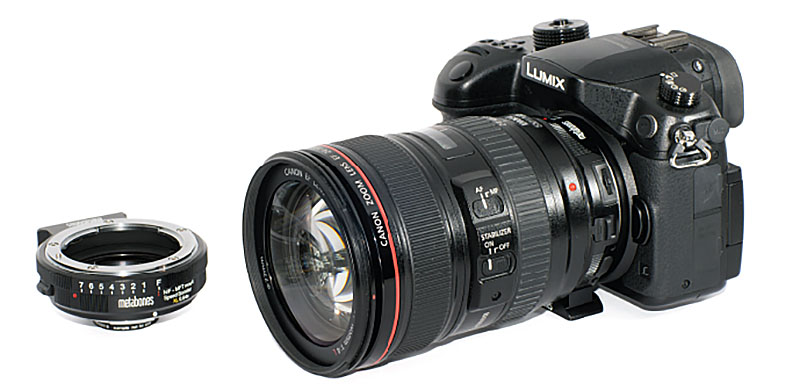
Date: 19. 04. 2017,
Category: News
FULL ARTICLE
New firmware update for Panasonic's 4K camcorder AG-UX180 fixes problems with the audio level meter and the audio monitor output. Download the new version here.
AG-UX180 ver. 1.06
1. Audio Level Meter not working, etc.:
A problem is fixed, which occurs in Recording Mode after the camera is operated under the following conditions.
Symptoms:
Audio Level Meter not working
No output of SDI-embedded audio
No output into headphones
There is no problem with recorded audio or playing back videos.
Conditions
Headphone Mode: LIVE
When the output setting is SDI;
Any of the following operations is performed.
- REC CHECK
- Pressing the REC button while a video is being played
- Turning the power OFF -> ON again before LCD is off
- Switching from the thumbnail screen (Playback Mode) to Recording mode while FHD format is selected
A reboot or changing the above-mentioned settings can bring the camera back to normal, but the problem will be back again if the above conditions are met.
2. Damaged clip deleted in repairing process. (MOV/MP4 file only):
If the recording is not completed correctly due to a power interruption or others, the clip will be repaired automatically by rebooting the camera.
But, if the card is in the different slot from the one used in this incomplete recording and the auto-repair process is started, the damaged clip (MOV/MP4 file) will be deleted.
This will not occur on files except MOV/MP4 mode. This problem is fixed.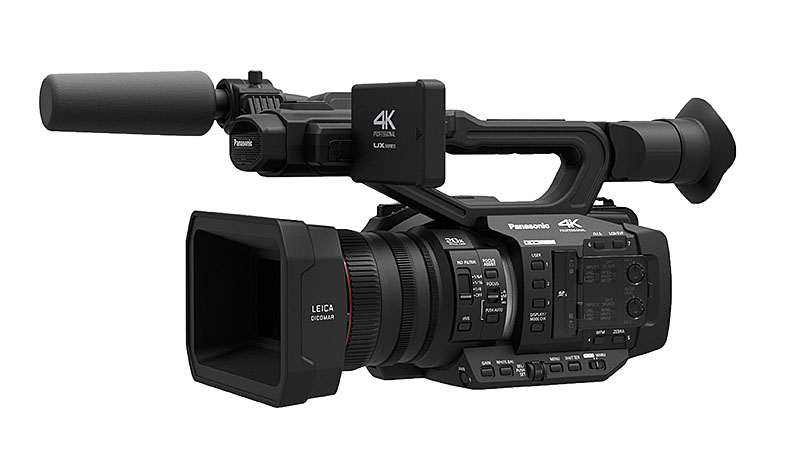
Date: 18. 04. 2017,
Category: News
FULL ARTICLE
New podcast in the EDIUS Podcast series continues where the previous left off, covering more audio wokflows, including mono channel export. Visit podcast.edius.net YouTube channel to watch the ongoing podcast series.
Date: 17. 04. 2017,
Category: News
FULL ARTICLE
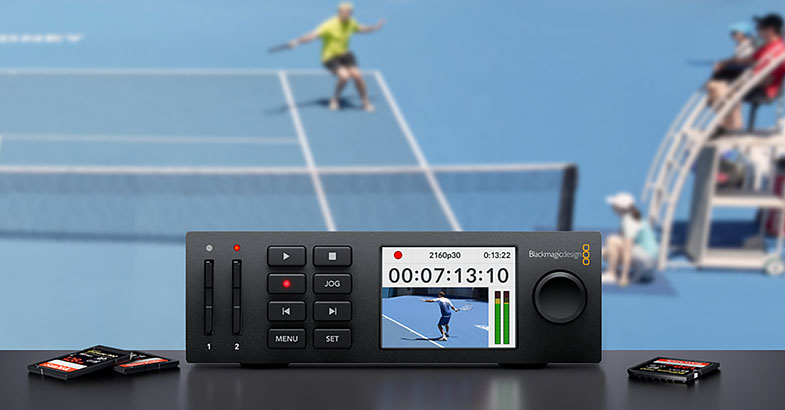
Blackmagic Design released two new updates HyperDeck 5.1 update for HyperDeck Studio Mini, and Desktop Video 10.8.6 for DeckLink Duo 2 and DeckLink Quad 2, respectively.
HyperDeck 5.1 Update
Adds DNxHD and DNxHR file formats to HyperDeck Studio Mini
Desktop Video 10.8.6
This software update adds support for SDI output slew rate support for developers on DeckLink Duo 2 and DeckLink Quad 2, which allows developers to accurately synchronize the output of playback to remote locations that are not on the same genlock environment. This feature can be accessed via the DeckLink API. This update also adds compatibility improvements for Media Composer plus general performance improvements for all DeckLink, UltraStudio and Intensity models.
Support for the following new feature on DeckLink Duo 2 and DeckLink Quad 2:
- Adds support for video output clock timing adjustment
Other fixes and improvements:
- Fix sporadic crash after very long capture
- Fix intermittent device detection issue
- Fix Media Composer crash when scrubbing timeline
- General performance and stability improvements for all models
Date: 14. 04. 2017,
Category: News
FULL ARTICLE
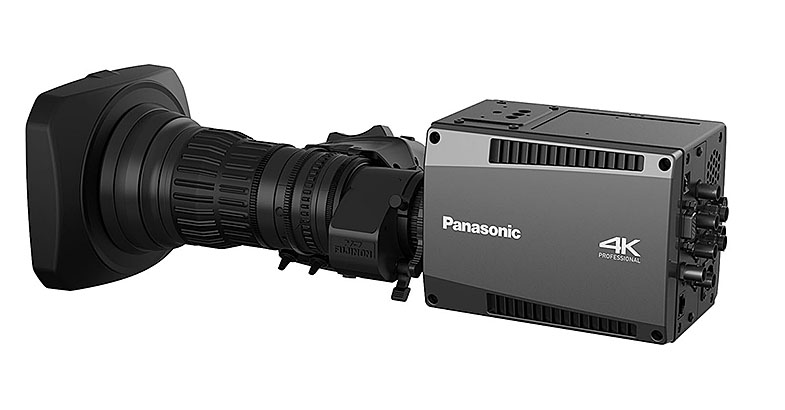
Panasonic released a new „System Camera and Switcher Product Lineup April 2017” PDF catalog, containing new information on AK-UC3000 4K Studio Camera and AK-HC5000 HD Studio Camera, the new AW-HR140 Full-HD Outdoor Integrated Camera, the AK-UB300GJ 4K Multi Purpose Camera, and the new Memory Card Portable Recorder AG-UMR20/Compact Camera Head AG-UCK20GJ and Memory Card Portable Recorder AG-MDR25/Compact Camera Head AG-MDC20GJ products.
PDF: pro-av.panasonic.net/en/sales_o/broch_pdf/Lineup_camera_switcher.pdf
Date: 13. 04. 2017,
Category: News
FULL ARTICLE